
Stripe is the payment processor which is used for all image sales through the Console. You can set up your own Stripe account for free and connect it to your Console account so that you can get paid directly.
Below, we'll show you how to connect your Capture account to Stripe, and how to configure your events for guests to purchase un-watermarked, hi-res copies straight from their online gallery.
Set up Stripe integration (once only)
- Go to your member page by clicking on your name in the top right corner of the page and selecting Member from the panel.
- Select the Integrations tab and press the New Integration button and click Stripe. This takes us to the Stripe login page. If you don’t already have a Stripe account, you can create an account here.
- To confirm, click the blue Connect my Stripe account button. When this has been followed correctly, you’ll be notified that the integration has been successful.
Activate Stripe integration with your event
- Ensure your Stripe account has been set correctly before proceeding.
- When Elementice is selected as the Provider, you must decide whether to have a flat rate for downloads or configure a tiered Pricing Strategy.
- If setting a Single Price, type in the Base Price and click out of the text box.
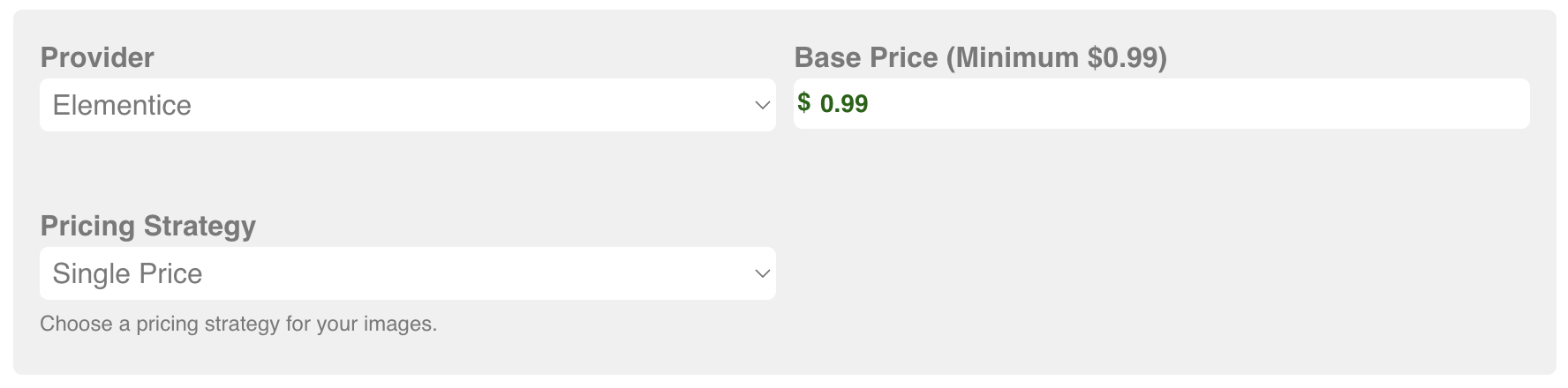
- If you want Tiered Pricing, you will need to input the parameters and price settings. Press the blue Add a Pricing Tier if you want to provide further options.
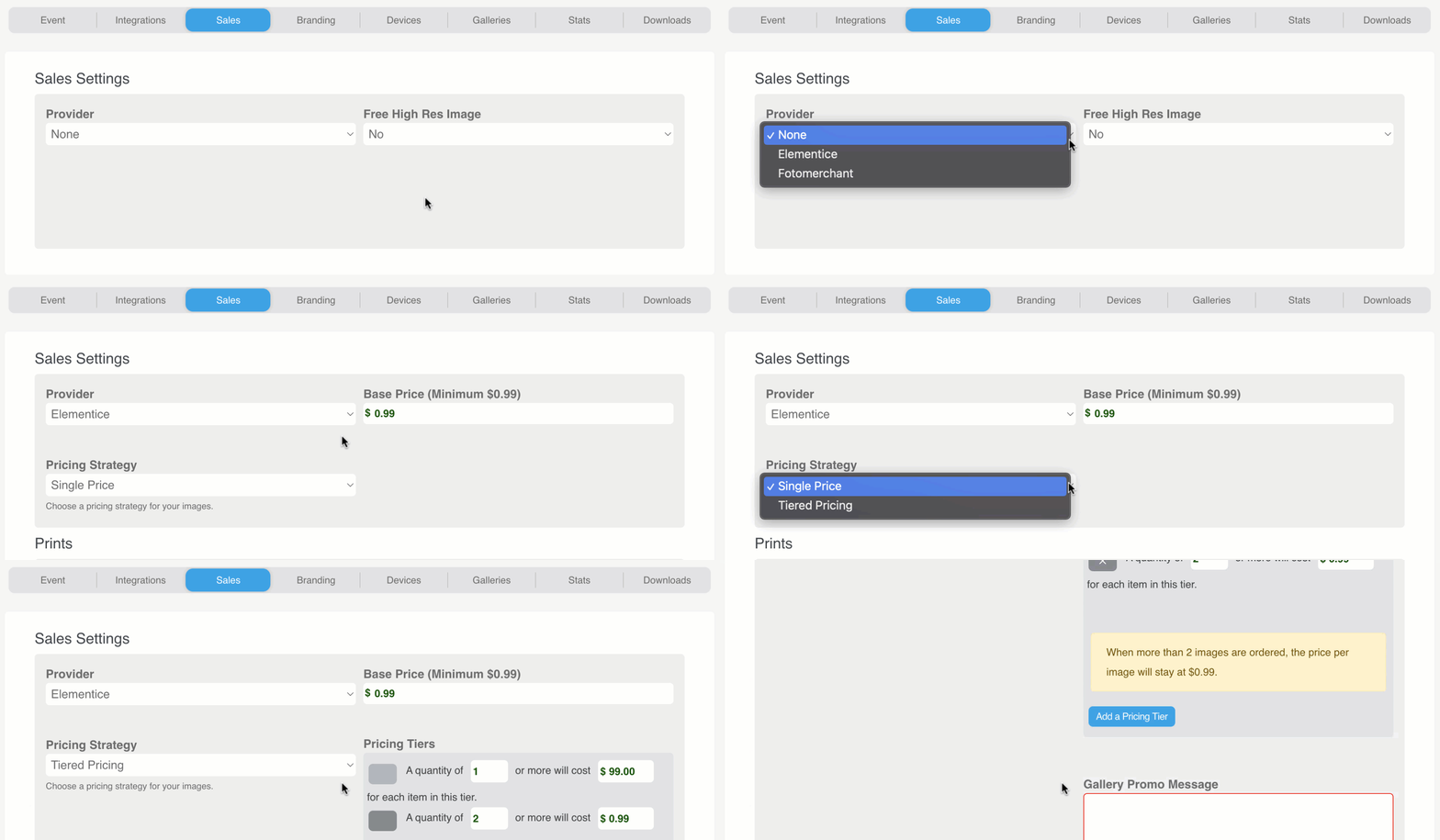
- If setting a Single Price, type in the Base Price and click out of the text box.
- Add a promotional message to appear at the top of the MyPics gallery.
- Toggle whether to show the price list popup in the gallery.
- Test out your settings in your own gallery before the job.
Customer experience
When customers have opened their gallery, and have found an image they like, they must select the shopping cart icon at the bottom right of their screen. This adds that image to their shopping cart.
To finalize their purchase, they click the purple Check out button at the bottom of the screen and fill out their contact and payment information, confirm the purchase, and they’ll automatically receive an email with their selected images attached (and you'll get paid through Stripe).