
You can download images from the MyPics event gallery, from the Console as a single image, or as a zip of all event images. If you plan to download all images, we highly recommend using the Dropbox integration instead - it just makes life much easier.
Jump to:
- Download all images to Dropbox
- Downloading from MyPics
- Single Image Downloads from the Console
- Complete Event Downloads from the Console
Download all images to Dropbox
Use the Dropbox integration to have all the original images copied straight to your Dropbox account in real-time. We recommend setting this up BEFORE the event, but you can add the integration and sync the images afterward.
Downloading from MyPics
On most smartphones, open the image you want to save (so that it is the only image on the screen), then touch and hold on to the image. You will then be given the option to "Download image" or "Add to camera roll" depending on the phone model.
Single Image Downloads from the Console
- Go to the Event page.
- When on the Event page, either click an image from the scroller, select the Galleries tab underneath the scroller, or click the Event Gallery button at the top right of the window... too many options? Just get to a gallery view where you can see the image you want...

- Once the Gallery is opened, select the image you want to download. There are two download options available: Small (a watermarked low-res version), or Large (an un-watermarked hi-res version).

- Click whichever option suits your needs and the file will begin to download. If you have any issues, check the download settings on your browser.
Complete Event Downloads from the Console
|
|
Note: We recommend using the Dropbox integration instead of this method. |
- Go to the Event page and select the Downloads tab.
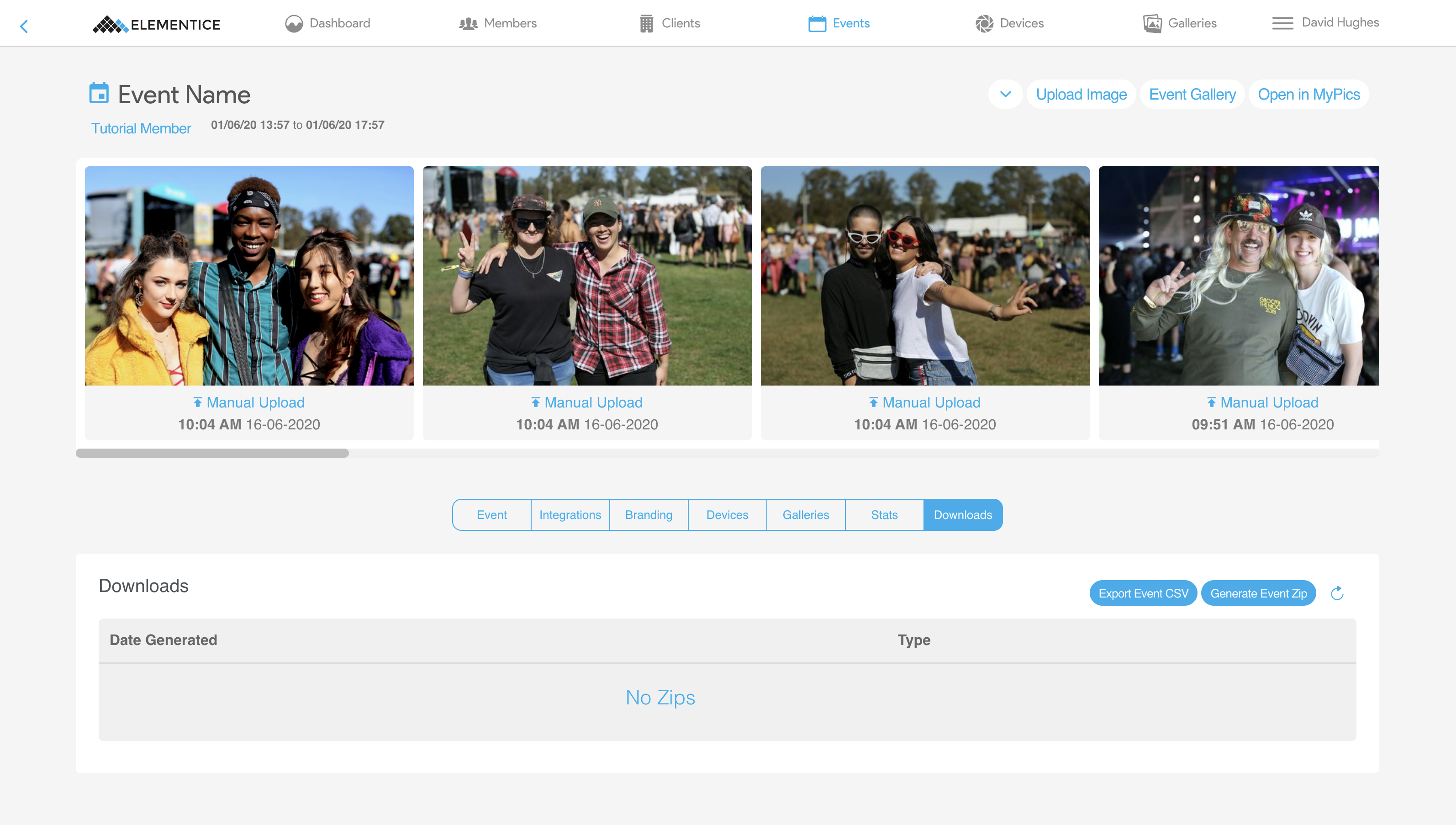
- Click the Generate Event Zip button.

- Choose between either Hi-res (un-watermarked) or Lo-res (includes watermark if one is being used).

- Press OK to confirm zip selection – this will take several minutes.
- The zip will become available for download in the table when ready, click the Download button to save the zip file to your computer.